Can you try running Examples->Camera->Sensor Control->sensor_exposure_control.py?
I just tested the sample and the camera controls work as expected.
Can you try running Examples->Camera->Sensor Control->sensor_exposure_control.py?
I just tested the sample and the camera controls work as expected.
Hi,
I tested and it work very fine.
Just with Exposure regulation it solve all the quality image problems
and not all necessary to change all other parameters as reported before.
Great !!
Thank you so much for your help!
Because my final target is to use camera in night vision
I am testing IR led functionality by example/board_control/led_control.py
it worked on H7 with no problem
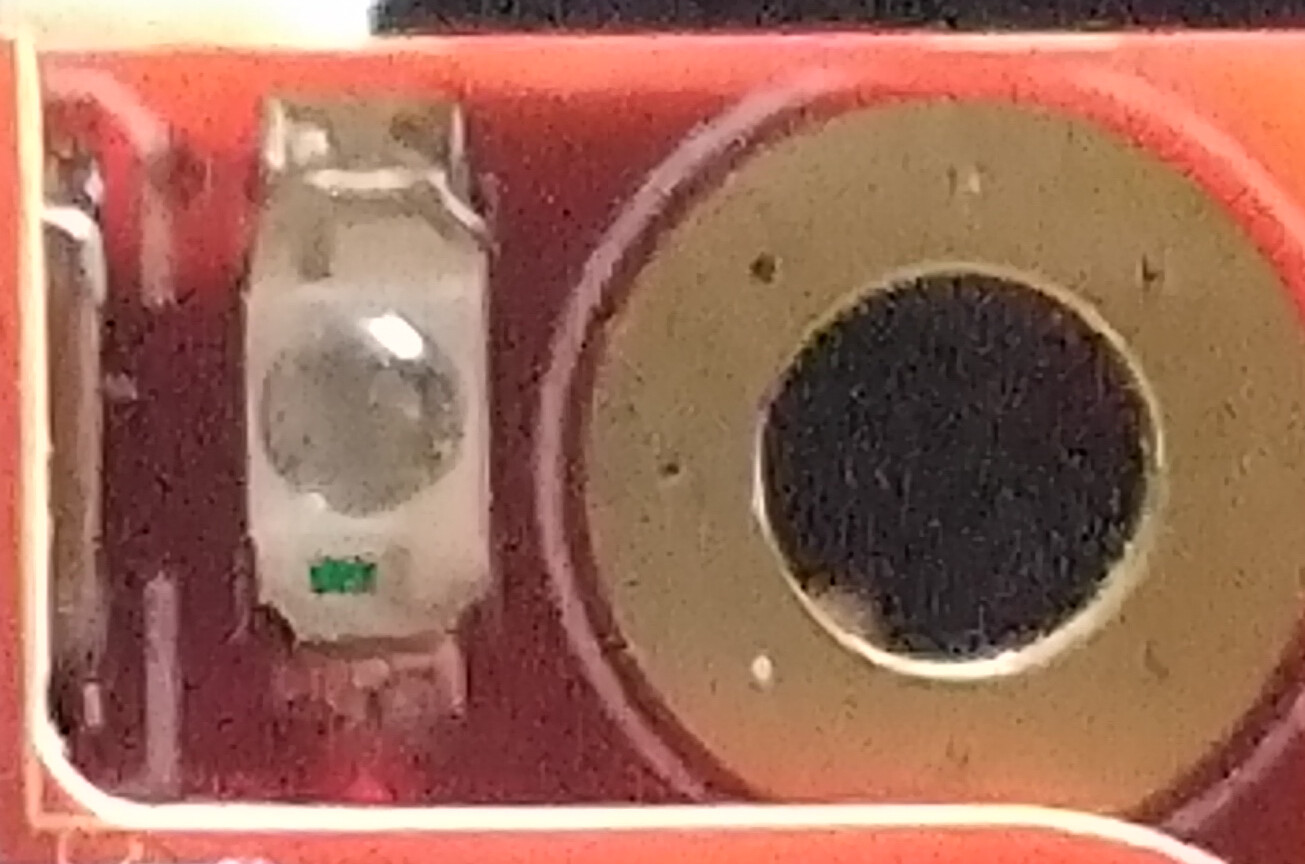
but on H7Plus ir led doesn’t turn on
do you think it is an hw problem?
I checked the schematic on /openmv-boards/openmv4/plus/ and I see there are different versions base-16-bit.pdf, base-32-bit.pdf , base.alt.pdf
all report cpu pin PE2 for LED_IR resource
my cpu is st32H750 IBK6 ,
board back layer report Plus R5
do you have an idea about why IR led doesn’t light?
I saw that OV5640 support the night mode and can be switched by sensor.IOCTL_GET_NIGHT_MODE
there is an example on how to correctly handle it respect to other sensor parameter?
Regards
Giuseppe
vcc=3.28 Vdc measured on anod of right irthe Gate is driven against ir_led.on() [3.27vdc]
at the same time the Drain is connected to GND
measuring by a multimeter I see the Drain voltage level switching from about a fluctuating 330mV to 0.000mV
so the IR seams to be driven
I checked the circuit from Drain to the Vcc going trough the ir diode series and the chain is homic good
the strage I found is that ir diode do not give a conduction on a diode test by a digital multimeter in diode test mode
they should turn on
I checked also the ir led assembly orientation and it is ok
they are broken!!!
ok I will change them
You have a clone H7 Plus. I really can’t comment on what’s going on with it. Who knows how it was assembled and what the circuit is. It sounds like you need to reverse the LEDs though.
Hi
Yes you are right , it has been a very bad choice to get a clone!
Never the less , after some strong efforts
I went forward in my OMV experience using Fw 4.7.0[latest]:
I successfully tested rtsp_video_server_wlan_1.py using ffplay by ffmpeg linux library
and I have been able to get video flow
into both format color RGB565 and GRAYSCALE (under IR lighting in night conditions)
ffplay -rtsp_transport udp -vf “format=yuvj420p, format=gray” rtsp://192.168.179.116:554
ffplay -rtsp_transport udp rtsp://192.168.179.116:554
I tried Tool > VideoTool > Play RTSP stream and it work but only after the ffplay has started to catch the video flow
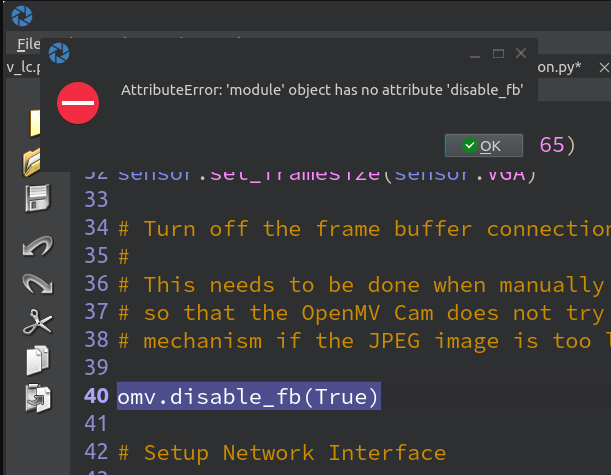
One note regarding an exception generated
has been necessary to comment out the line 40
my intention is to send the rtsp server output to motioneye os installed on a Rpi4 that I use for my home survey
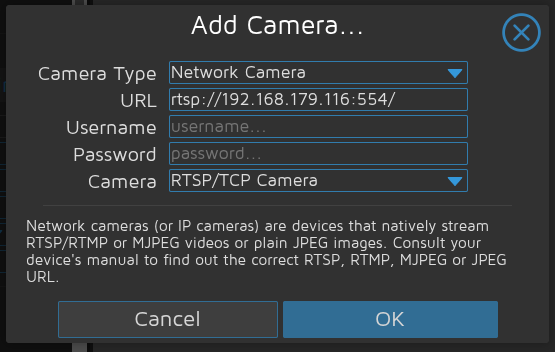
I tried to configure the network cam on motioneye when rtsp server is in Running…
and seams the cam is recognized
rtsp server stay in Running… !
(into the window above the field Camera [RTSP/TCP Camera ] is populated only if the camera is recognized)
but after to confirm by OK button
the cam window into motioeye web interface do not visualize the video flow
and after some time it say Unable to open video device
rtsp server stay in Running… seams it doesn’t recognize the device search actuated by motioneye
I tried to use the tcp transport with ffplay instead of udp but seams rtsp server do not work with tcp request
it was an option to try with motioneye
I found this info about motioneye :
MotionEye primarily uses RTSP (Real-Time Streaming Protocol) over UDP for streaming video from network cameras. However, it also supports RTSP over TCP and can utilize HTTP (which uses TCP) for some camera control and data transfer. The choice between UDP and TCP for RTSP depends on the camera, network conditions, and user preference.
do you have some suggest?
Best Regards
Giuseppe
forget Google AI has find a solution
“”"
AI Overview
To force MotionEyeOS to use RTSP over UDP transport, you need to modify the camera’s configuration file and potentially the global Motion configuration file. Specifically, you’ll need to set the netcam_use_tcp option to off in the camera’s configuration file. If you want to ensure that all RTSP streams use UDP, you might also need to adjust the global Motion configuration.
Here’s a breakdown of the process:
1. Locate the camera configuration file:
The camera’s configuration file is typically located at /etc/motioneye/camera-n.conf, where n is the camera number (e.g., camera-1.conf, camera-2.conf).
2. Edit the configuration file:
Open the camera’s configuration file using a text editor with root privileges (e.g., sudo nano /etc/motioneye/camera-1.conf).
Find the line netcam_use_tcp on (or similar) and change it to netcam_use_tcp off.
If the line doesn’t exist, add it to the file.
“”"
Hi, the omv.disable_fb(True) was removed in our examples on the repo. But, the IDE doesn’t have access to the latest examples yet.
As for the error you are having, not sure, I guess you found a solution to it.
Remember yo upgrade documentazione because by It the code line Is valido, also IDE documento the existance of that method
Yes the modification of camera config as per AI indication solve the problem forcing motioneye to use UDP
Regards